

Deals
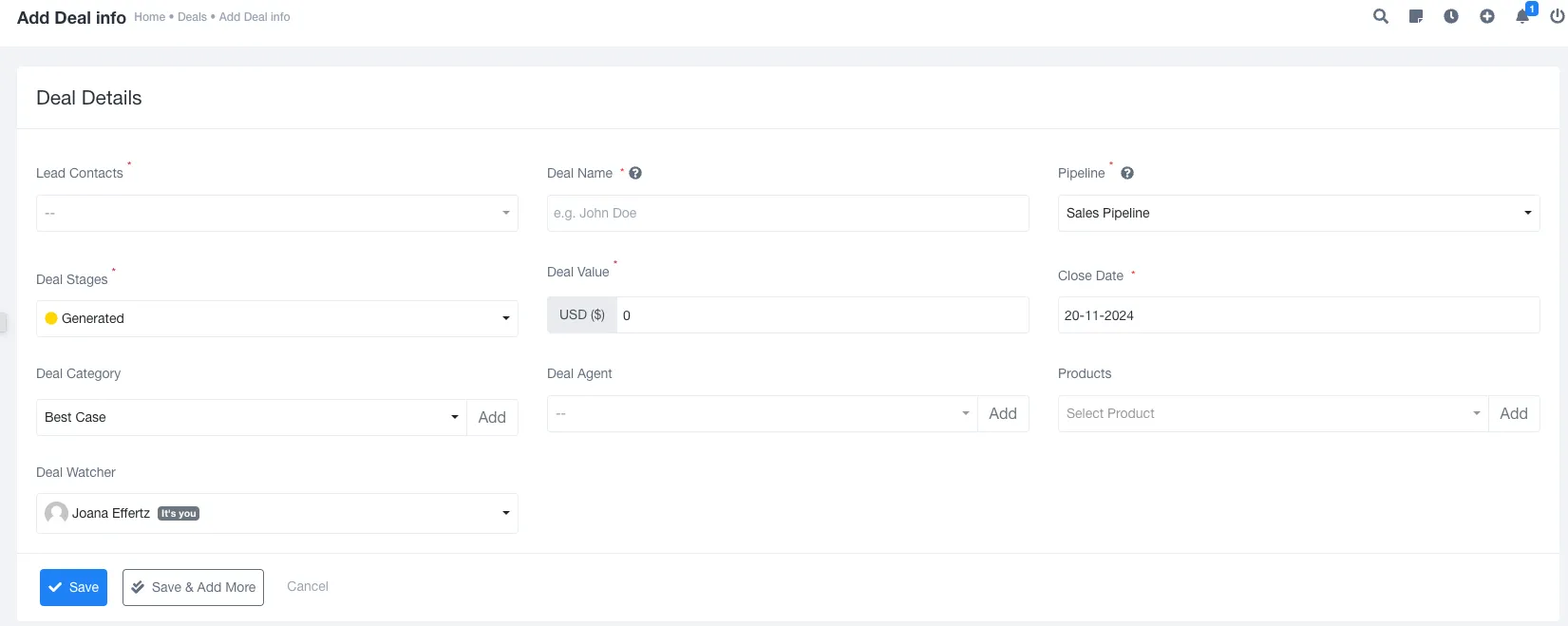
Adding Deal :- Deal is mandatory for leads . While creating deals .
Admin needs to add Following fields :-
Lead contact :- Lead is added in lead section . Admin needs to select from drop down.
Deal name :- Deal name needs to set accoridng to requirement.
Pipeline. :-Pipeline is created from setting . So all list will be visible.
Deal Stage : Deal stage is related with pipeline . When you select pipeline then stage will be according to pipeline.
Deal value : “Deal value” refers to the total worth or financial value of a transaction or agreement between two or more parties.
Create date : When your deal has been created.
Deal category : Admin creates deal category from setting and it deifned from which category your delal is related.
Deal agent : Deal agent can be assigned according to category to help add deal.
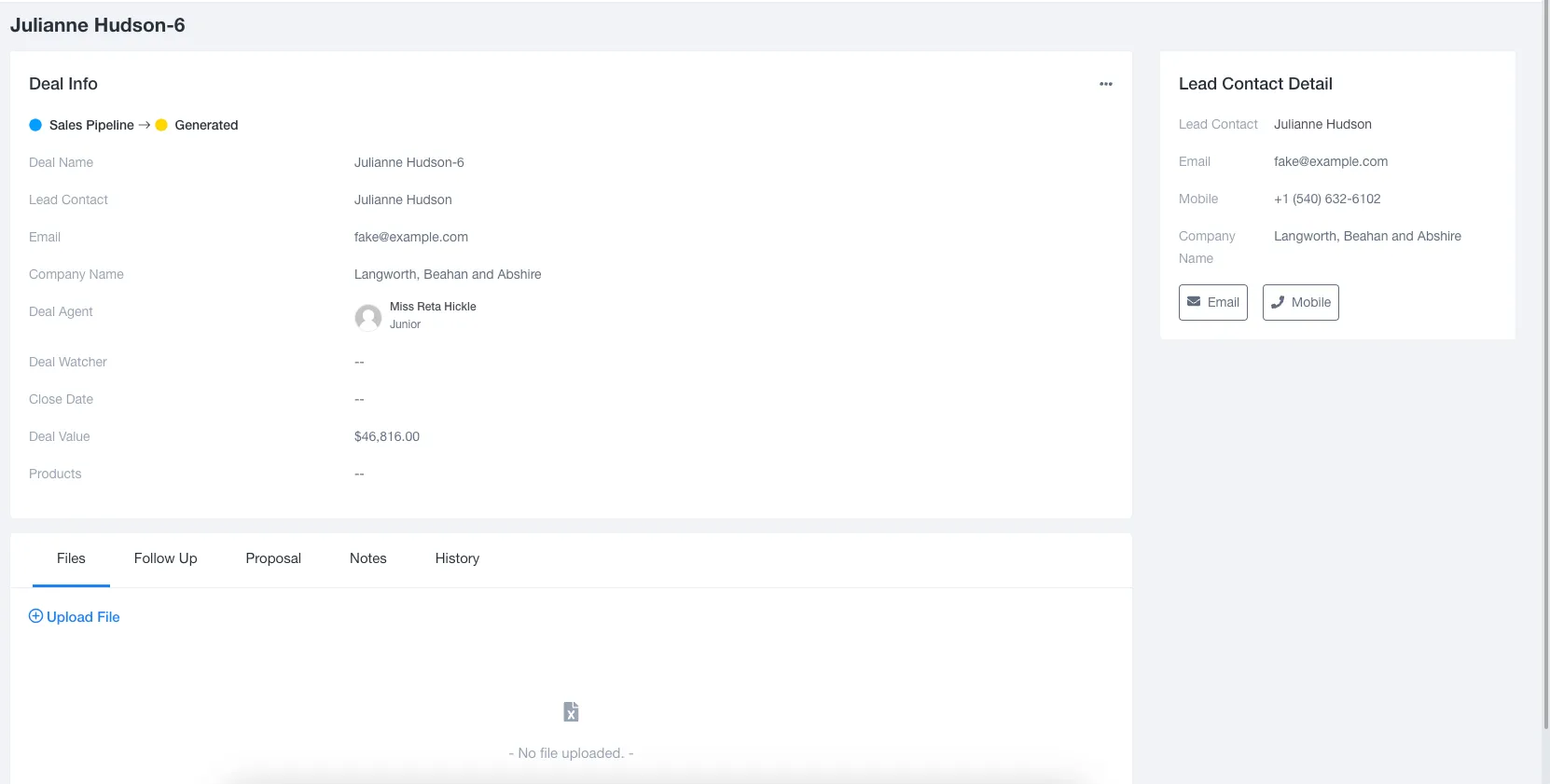
View Deal Info :-
Deal wil be having file , follow ups , proposal , Notes and history.
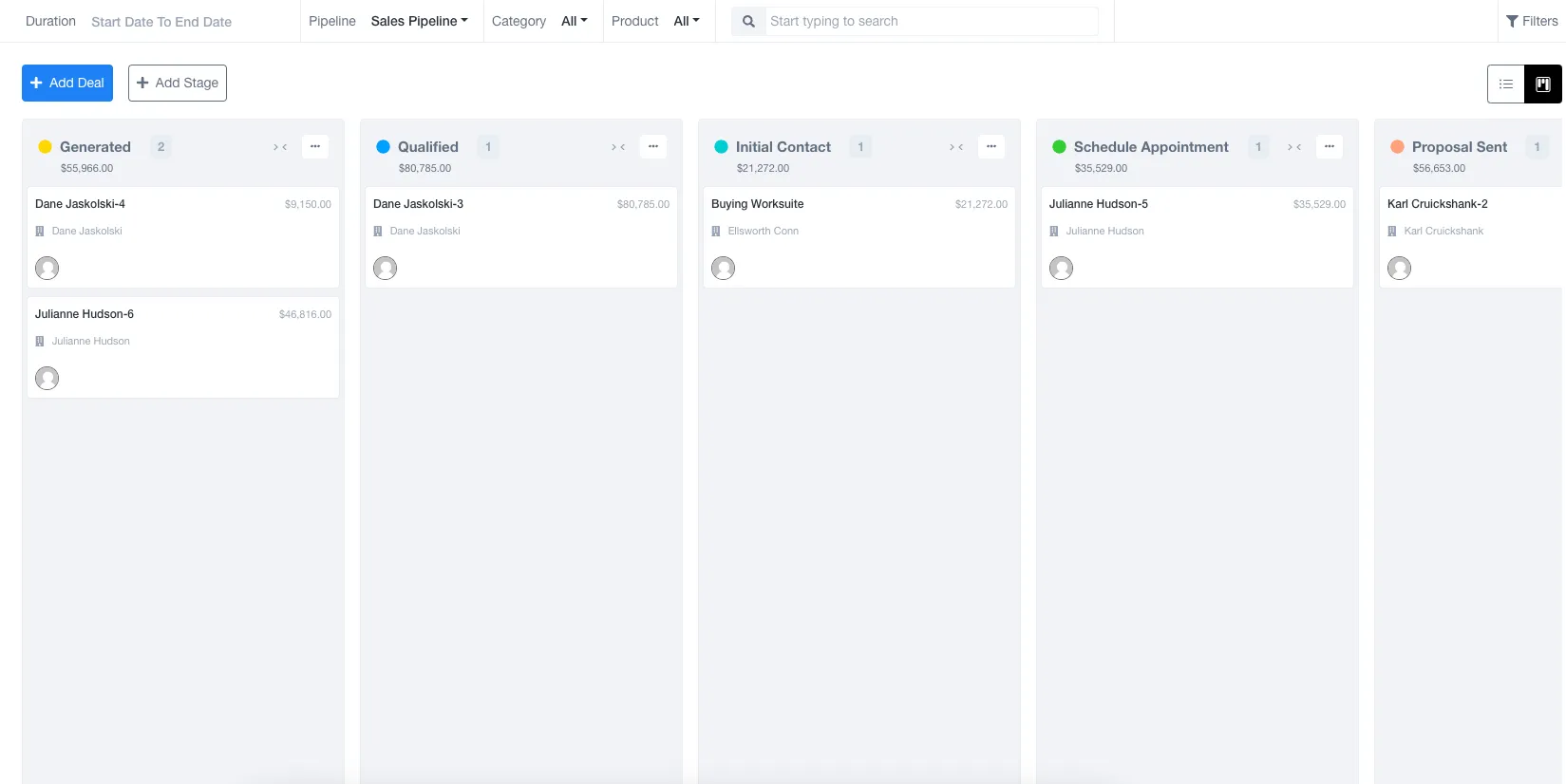
Deal Kanban Board :-
A Kanban board is a visual tool used to manage and track work tasks. It helps teams see their workflow and progress in a simple, organized way. The board is typically divided into columns.
document.querySelectorAll(‘.portal-attachment-thumbnail-img’).forEach(function(img) {
img.addEventListener(‘error’, function () {
attachment_error_image(this);
});
});
const attachment_error_image = (attachment) => {
const parentElement = attachment.parentElement;
const defaultIcon = <span class="icon-file-empty"></span><span class="fw-attachment-ext">${escapeHtml(attachment.dataset.extension)}</span>;
parentElement.innerHTML = defaultIcon;
};