

Payfast Payment Gateway Integration
PayFast allows merchants (individuals, businesses, and charities) to accept secure payments from online buyers by offering a variety of payment methods, including credit card, Instant EFT, Masterpass, mobicred, SCode, and debit card.
As per PayFast payment’s policy, the currency should be in ZAR if you want to use PayFast.
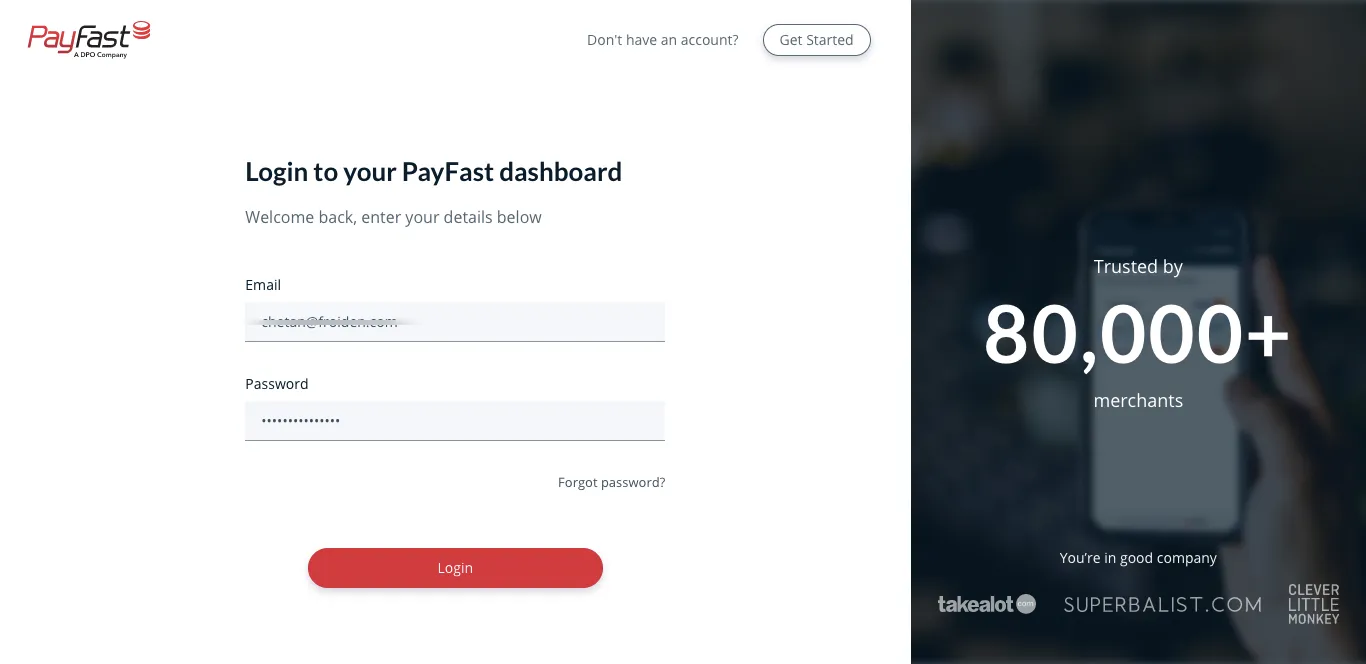
1. Login to your Account
Section titled “1. Login to your Account”Login to your PayFast account.
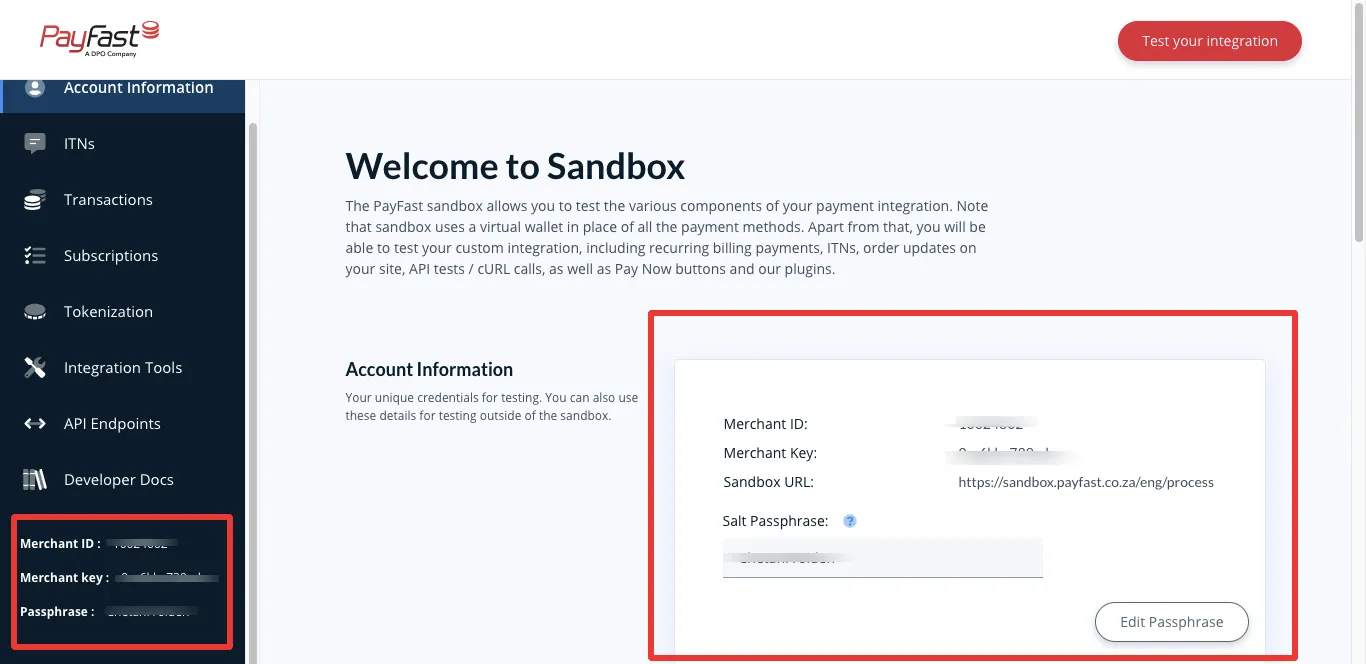
2. Get Merchant ID, Merchant Key, Salt Passphrase
Section titled “2. Get Merchant ID, Merchant Key, Salt Passphrase”Now you will get your details on your account dashboard. You need to set Salt Passphrase if it is not set before.
3. Integrate with application
Section titled “3. Integrate with application”Login into Application and open Settings > Payment Credentials > Payfast check Payfast Status after that Select Environment and enter your Merchant ID, Merchant Key and Salt Passphrase.
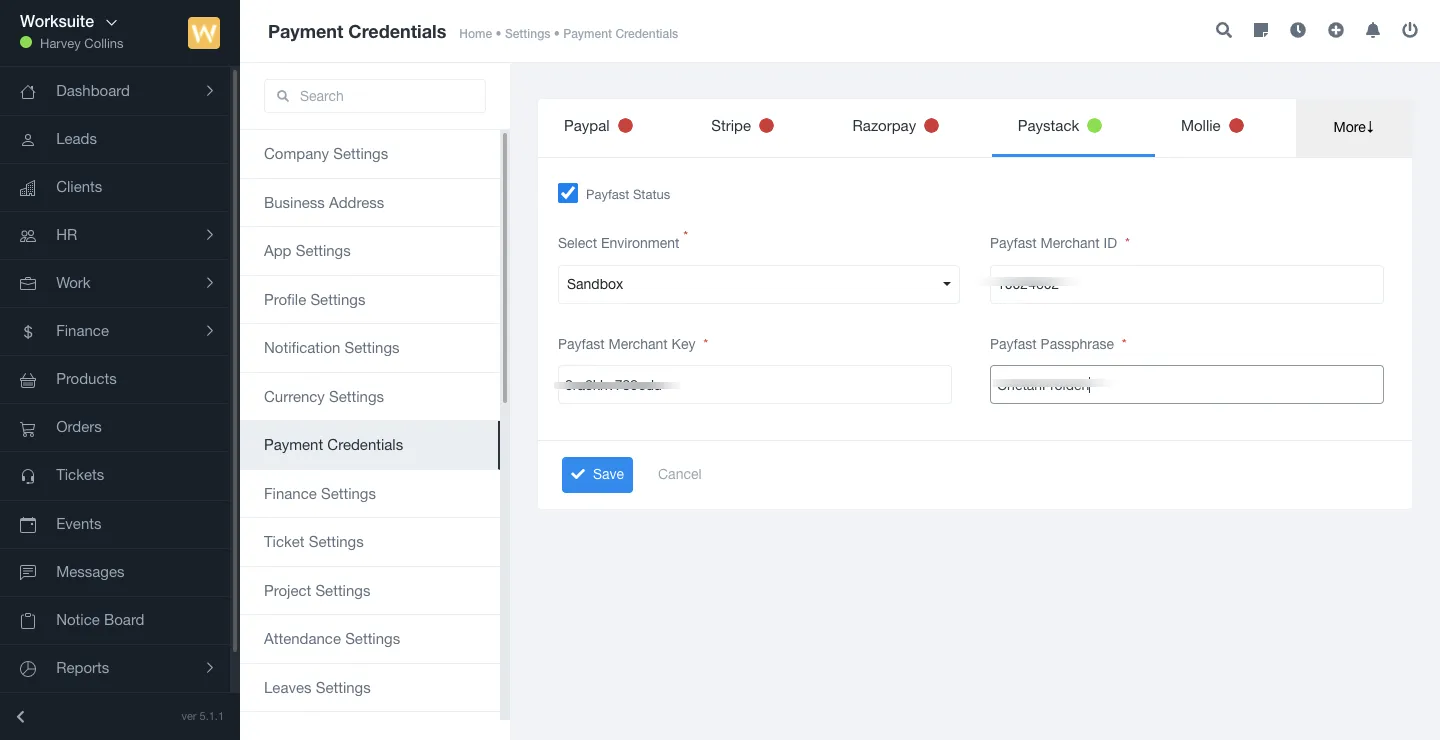
Now save the changes and you are ready to accept the payment via Payfast.
document.querySelectorAll(‘.portal-attachment-thumbnail-img’).forEach(function(img) {
img.addEventListener(‘error’, function () {
attachment_error_image(this);
});
});
const attachment_error_image = (attachment) => {
const parentElement = attachment.parentElement;
const defaultIcon = <span class="icon-file-empty"></span><span class="fw-attachment-ext">${escapeHtml(attachment.dataset.extension)}</span>;
parentElement.innerHTML = defaultIcon;
};