

Telegram Notifications
Telegram notifications require the SMS module to be enabled. You can purchase the SMS module from <https://codecanyon.net/item/sms-module-for-OptiBiz CRM-crm/27861914> (if not already purchased)
To enable telegram notifications we need 2 things
- Telegram Bot Token
- Telegram User ID (For every user)
Generate Telegram Bot Token
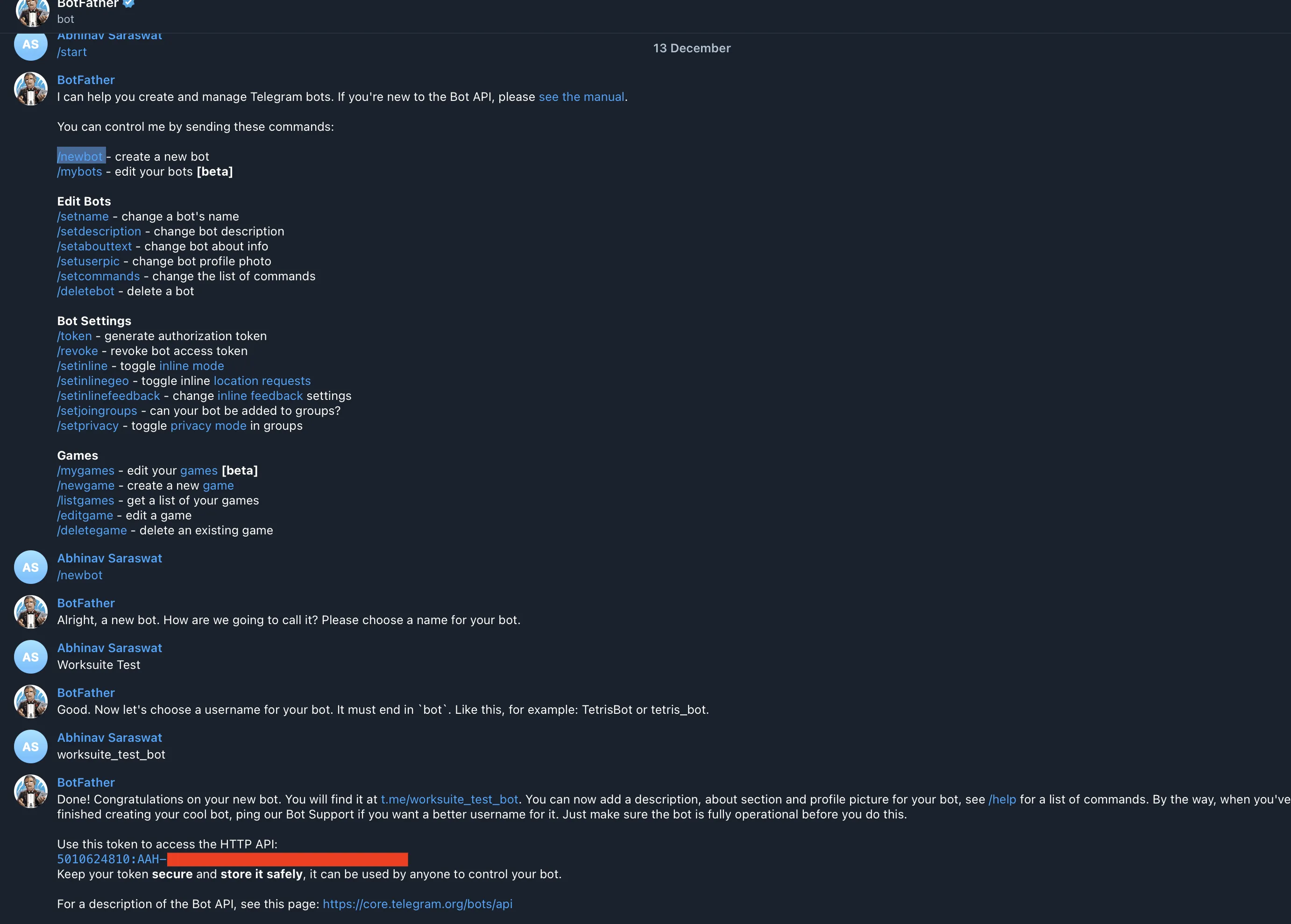
Section titled “Generate Telegram Bot Token”- Go to your Telegram App and search @BotFather
- Write**/newbot** in message field and send the message
- Write the name of your Bot and Send
- Write username of your Bot and Send
- You will get the Token value in response
A sample bot chat will look like this.
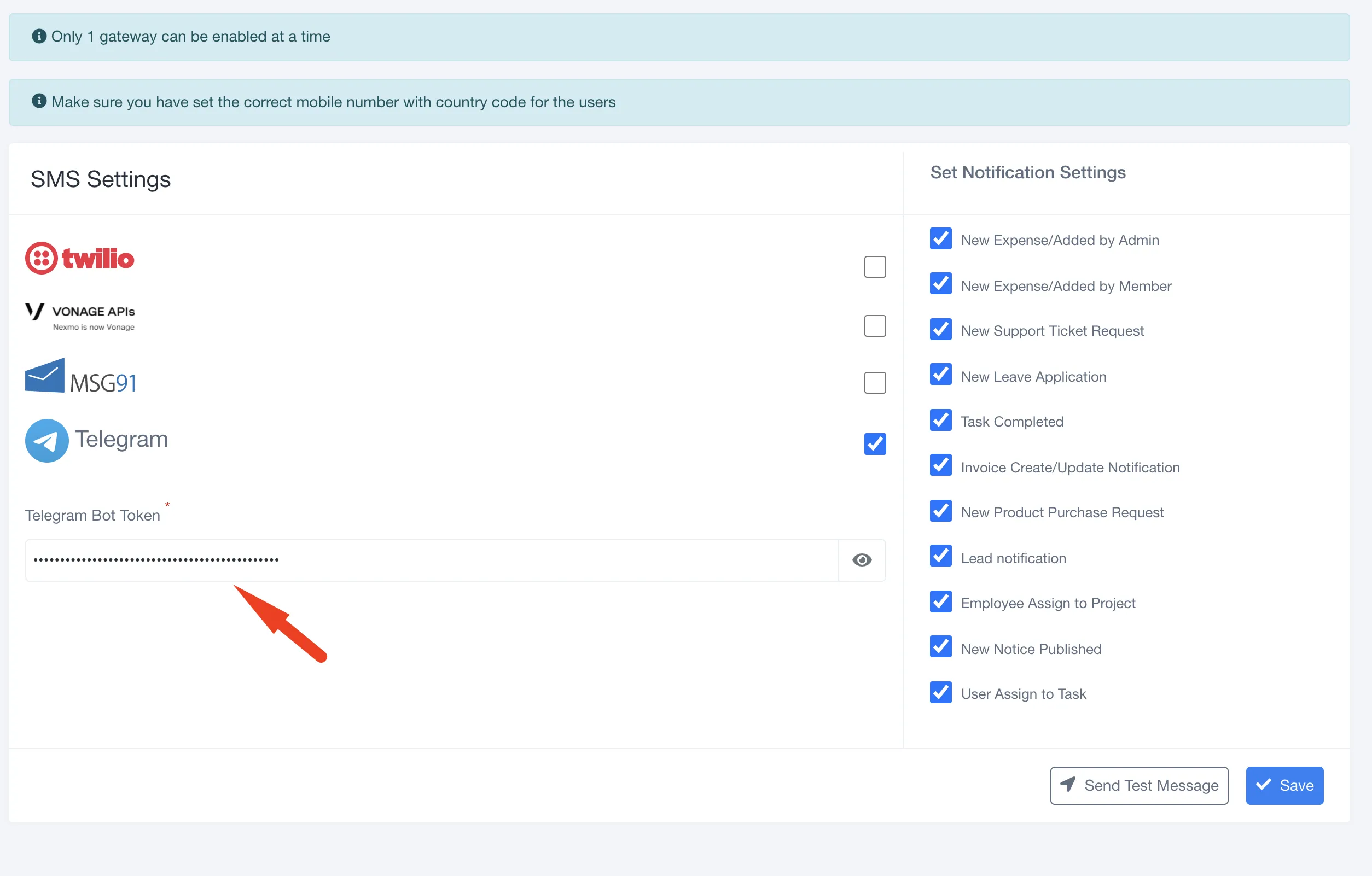
Save the Bot Token in Telegram Settings Under SMS Settings
Generate Telegram User ID
Section titled “Generate Telegram User ID”Now to receive the notifications we need a Telegram user ID for every user.
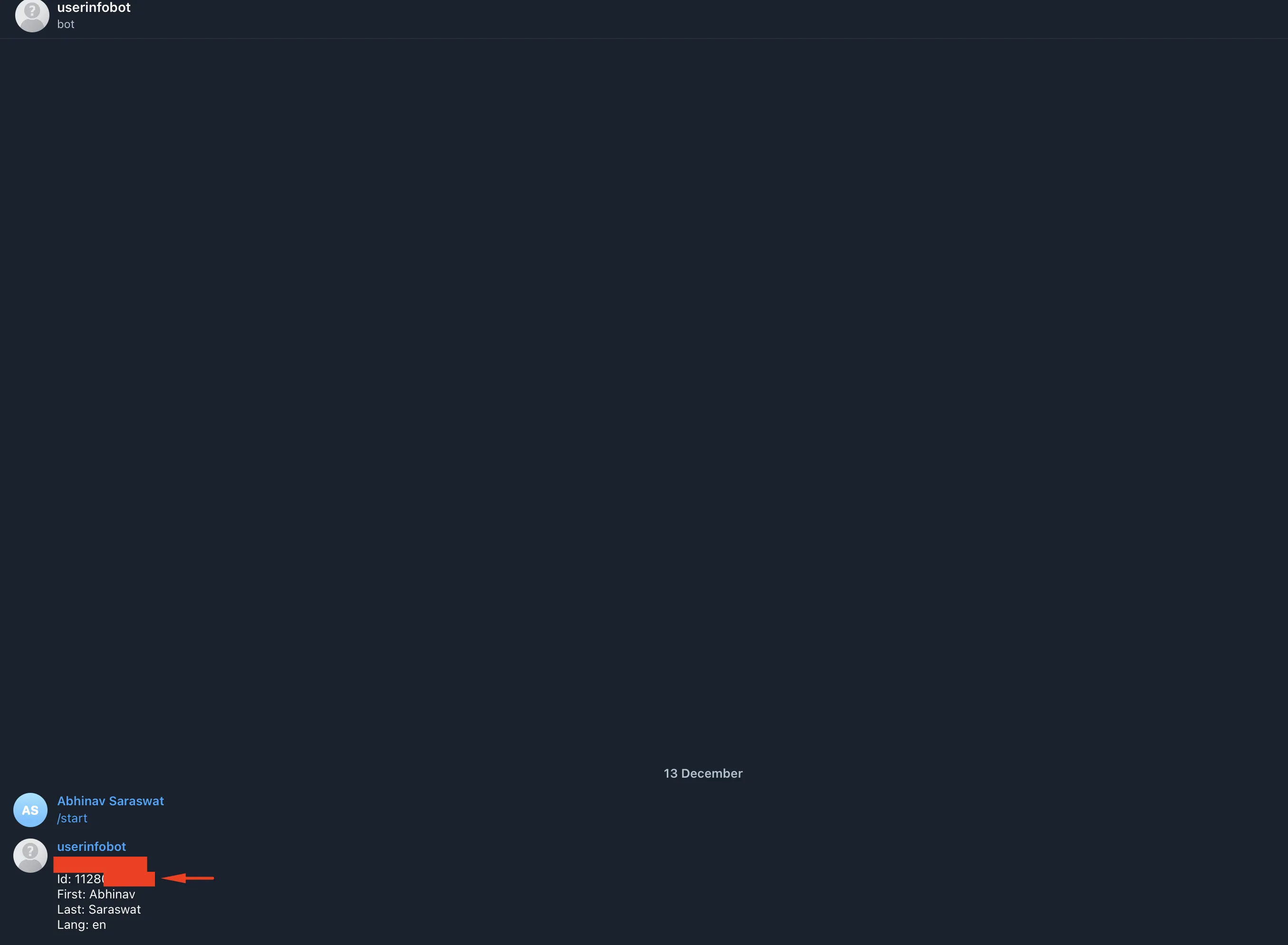
To get the Telegram User ID search @userinfobot in your Telegram App.
You will get a User ID in response.
Sample ID will look like this
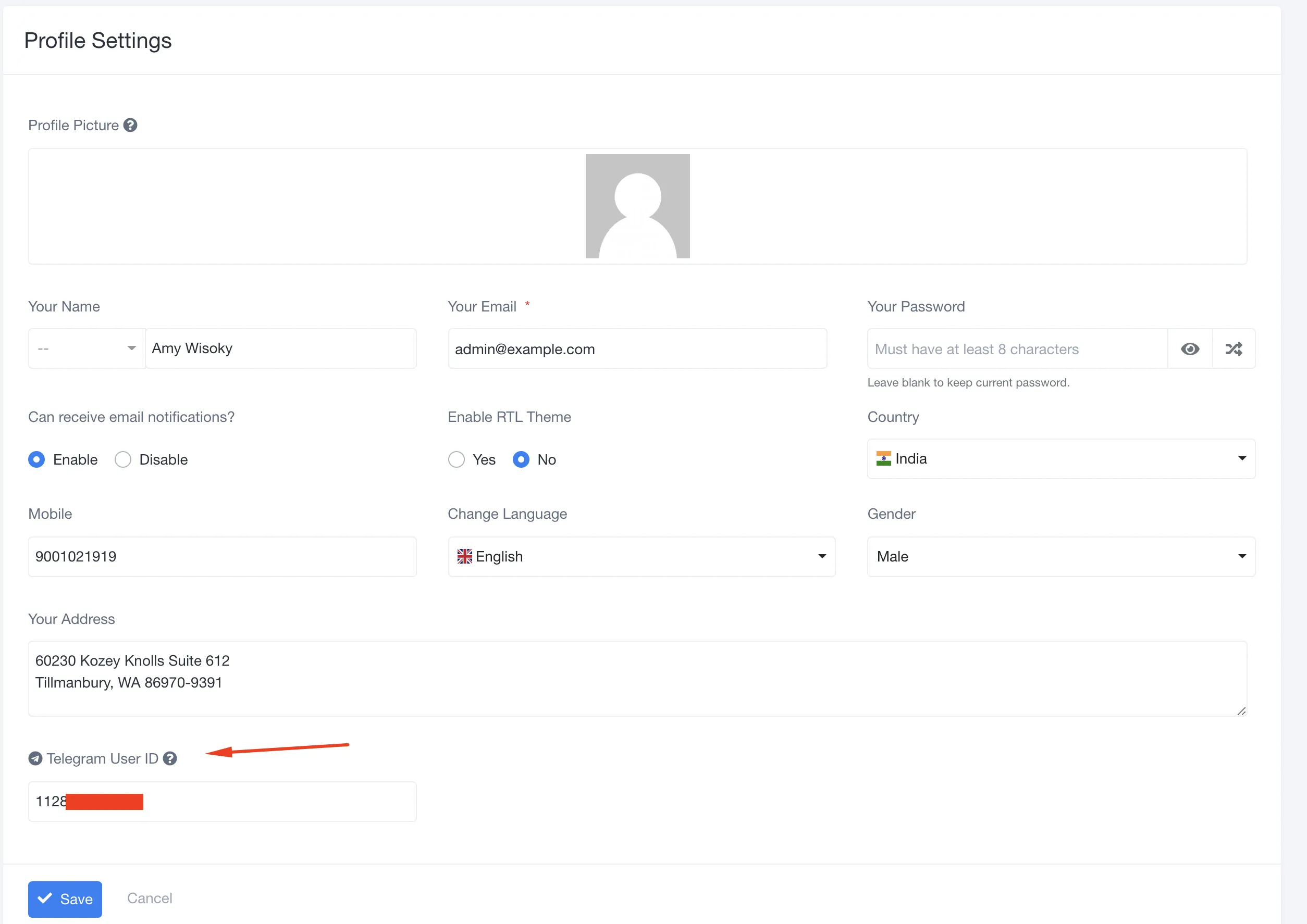
Every user can generate and add their Telegram User ID from their Profile Settings.
The final step to receive the notification is to send a test message from your telegram account to the Bot account you created above. Without this user will not receive the notification.
That’s It. Telegram notifications are ready to be used.
document.querySelectorAll(‘.portal-attachment-thumbnail-img’).forEach(function(img) {
img.addEventListener(‘error’, function () {
attachment_error_image(this);
});
});
const attachment_error_image = (attachment) => {
const parentElement = attachment.parentElement;
const defaultIcon = <span class="icon-file-empty"></span><span class="fw-attachment-ext">${escapeHtml(attachment.dataset.extension)}</span>;
parentElement.innerHTML = defaultIcon;
};